Portfolio
- Describe which design elements (at least 3+) that will be primary as you build your Portfolio website.
- Post your current Homepage URL as a clickable link.
- Complete your Home Page with
- Default Header with Logo & default Menu
- Photo of you
- text content personalized. (Footer not needed yet).
- Your global fonts & colors should be set by now.
HTML Practice
W3S
- W3S HTML Styles and Formatting
- Quiz 5
CodePen
- Add the following code to you CCS stylesheet in Codepen– Note what the CSS changes in your website: you can select alternate colors or font families, if you wish, but try to keep the structure intact as you go forward.
Note: if you have already added CSS options, you may have to “fork” your project, delete the current CSS, and add the new CSS that I will be adding week by week. Then use that project for class.
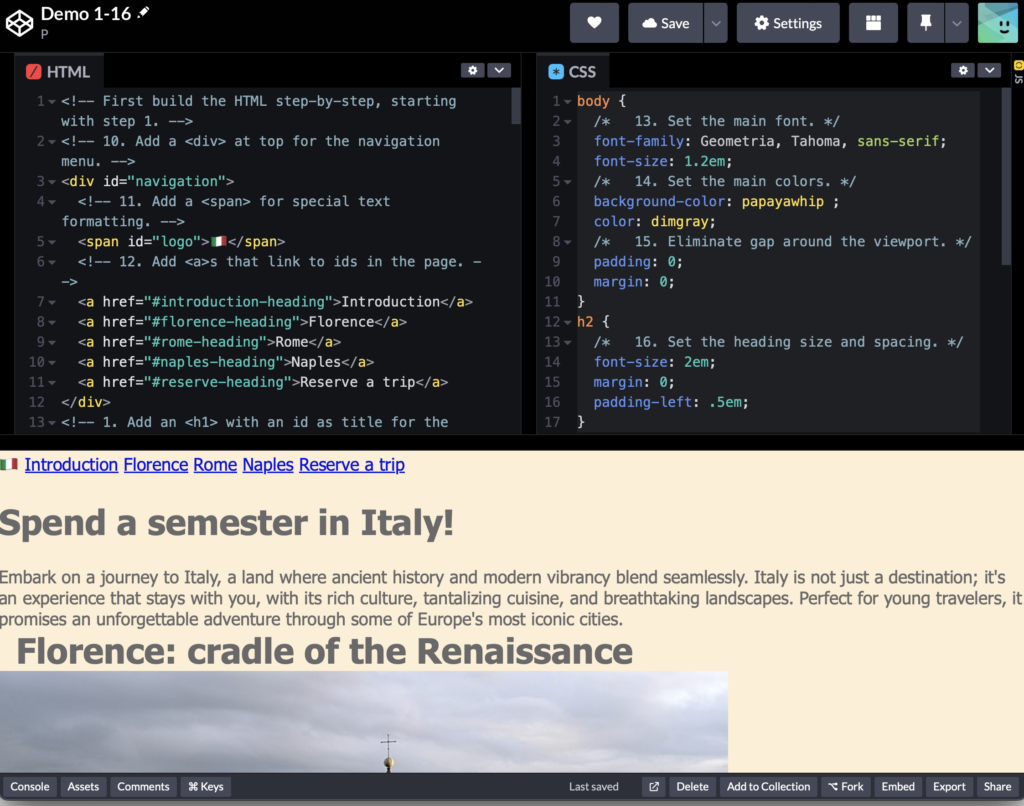
body {
/* 13. Set the main font. */
font-family: Geometria, Tahoma, sans-serif;
font-size: 1.2em;
/* 14. Set the main colors. */
background-color: papayawhip ;
color: dimgray;
/* 15. Eliminate gap around the viewport. */
padding: 0;
margin: 0;
}
h2 {
/* 16. Set the heading size and spacing. */
font-size: 2em;
margin: 0;
padding-left: .5em;
}
Post
- Subject: Task 5-yourname
- Category: Task 5
- Codepen URL
- Portfolio Home page URL
- Portfolio Template Test page URL
- Extra credit–any other pages you create